Getting started
From a clean clone to a running Doppio session, with the engine
built once and the Rust editor launched against libcaffeine-capi.
Recommended path#
1. Clone with submodules#
git clone --recurse-submodules git@github.com:devscafecommunity/caffeine.git
cd caffeine
If the repository was cloned without submodules, initialise them later:
./scripts/submodules.sh
2. Build the C++ engine and the C ABI#
Doppio is a Rust workspace, but it loads the engine through
libcaffeine-capi. Build the engine first:
cmake -S . -B build -DCMAKE_BUILD_TYPE=Release
cmake --build build -j
The library lands at build/libcaffeine-capi.so on Linux and
build/libcaffeine-capi.dylib on macOS.
3. Run Doppio#
cd doppio
cargo run -p doppio-ui
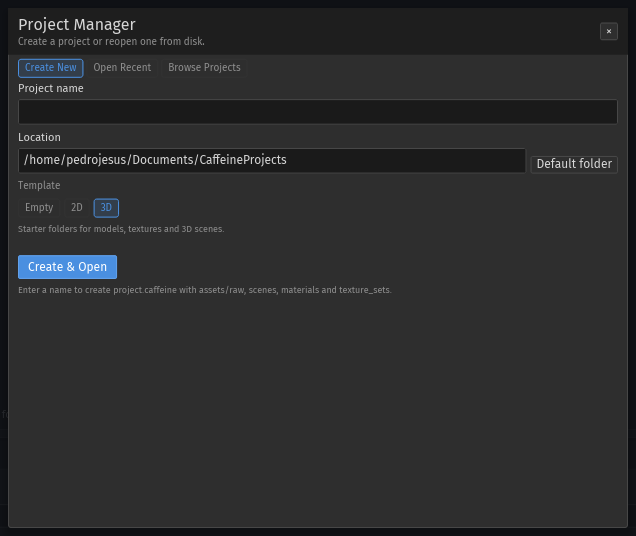
With no arguments, Doppio opens the project manager. To open a scene directly:
cargo run -p doppio-ui -- ../assets/benchmarks/dense_outdoor.caf
The C ABI library is found next to the build tree; set
CAFFEINE_ENGINE_ROOT when the editor and the engine are in different
locations.
4. Optional: check the workspace#
./scripts/check-rust-ui.sh
This runs cargo fmt --check, the Rust tests, clippy with warnings denied, the
core/ImGui coupling audit and the headless flow suite.
Pages#
| Page | Contents |
|---|---|
| Build guide | scripts/build.sh wrapper, platform helpers and CI commands |
| Quick start | First project, entity, scene save and viewport navigation |
| Building | Manual CMake options, Rust workspace and test binaries |
| Contributing | Coding rules, documentation rules and the review checklist |
Requirements#
| Dependency | Version | Used by |
|---|---|---|
| CMake | 3.20+ | Engine, C ABI, runtime, plugins |
| C++ compiler | C++20 — GCC 12+, Clang 15+, MSVC 19.3+ | Engine and plugins |
| SDL3 | 3.x | RHI, runtime, viewport |
| Rust | 1.88+ (edition 2021) | Doppio workspace |
| Python | 3.10+ | Build helpers, docs audits, headless capture scripts |
Note. The engine fetches pinned dependencies (ImGui, Bullet3, tinygltf and others) during configure. The first configure needs network access; later builds are offline.
Next steps#
- Follow Quick start to create a project and save a scene.
- Read the headless driver to drive the editor without a window.
- Open the UI reference for every catalogued widget id.