Vegetation Kit
A nine-asset CC0 kit for exercising PBR, alpha cutout and blend foliage, shadows, GI and LOD, plus the demo scene that wires it together.
The Vegetation Kit is a small, self-contained set of nine CC0 assets for exercising the renderer: PBR materials, alpha-cutout and alpha-blended foliage, shadow casting, Photon GI, baked AO, instancing and automatic LOD.
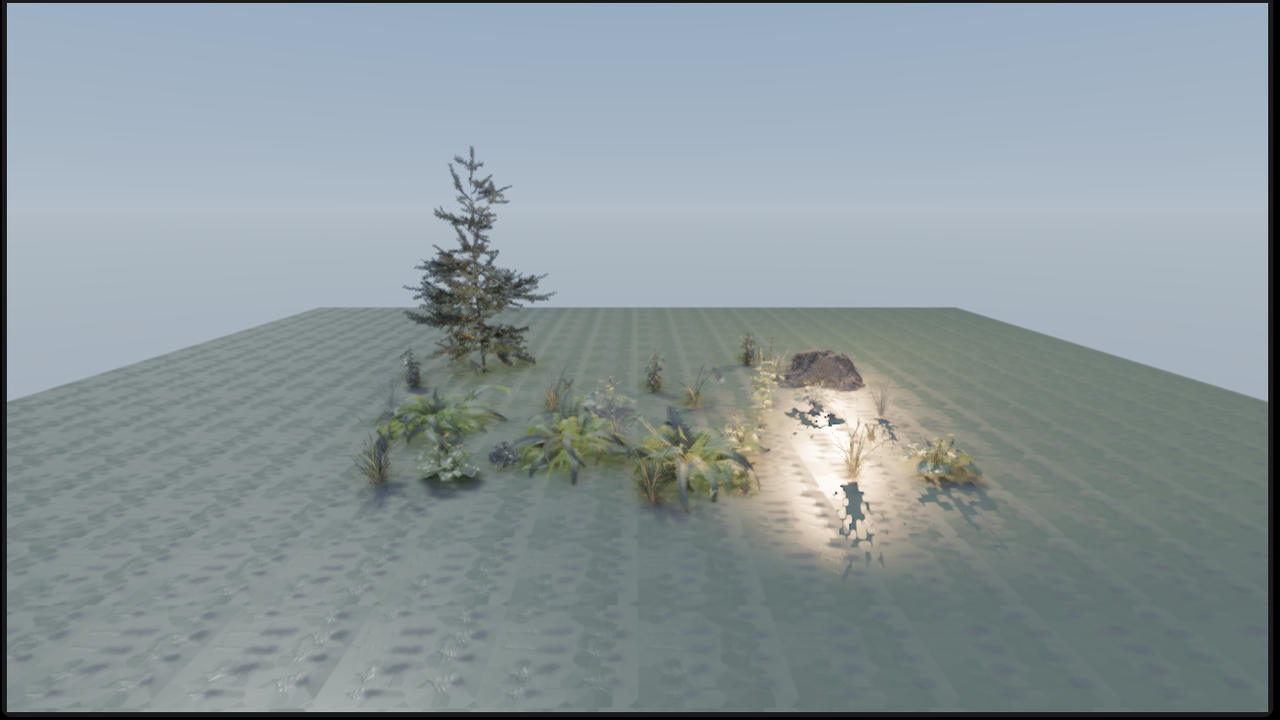
The kit lives in assets/vegetation-kit/ in the engine repository. Every model
is 1k PBR and every material ships the albedo, normal and ARM (AO / roughness /
metallic) maps used by the engine.
Contents#
| Asset | Role | Triangles | Alpha | Caffeine material |
|---|---|---|---|---|
fir_sapling |
Tree | 433,021 | Opaque | fir_sapling_branches.mat, fir_sapling_twigs.mat |
tree_stump_01 |
Stump / bark | 41,046 | Opaque | tree_stump_01.mat |
shrub_03 |
Bush | 8,287 | Cutout | shrub_03.mat |
shrub_sorrel_01 |
Ground shrub | 3,319 | Cutout | shrub_sorrel_01.mat |
fern_02 |
Fern | 6,232 | Cutout | fern_02.mat |
grass_medium_02 |
Grass | 7,842 | Blend | grass_medium_02.mat, _cutout.mat |
celandine_01 |
Flowers | 8,966 | Blend | celandine_01.mat, _cutout.mat |
nettle_plant |
Tall plant | 31,304 | Cutout | nettle_plant.mat |
moss_01 |
Ground cover | 204 | Cutout | moss_01.mat, _blend.mat |
A total of 540,221 triangles across nine assets, 41.8 MB including
textures. All assets are CC0 1.0 from Poly Haven.
The individual source URLs and authors are in manifest.json; a human-readable
list is in ATTRIBUTION.txt.
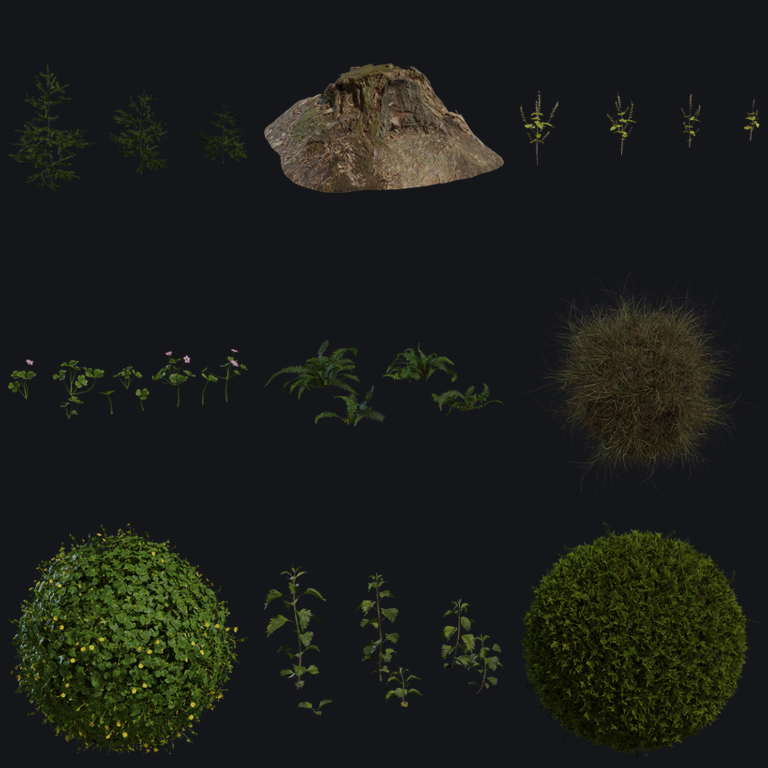
previews/ contains the Poly Haven thumbnails used by this page and by asset
browsers.
Quick start#
Copy the kit into the project's assets directory:
cp -r assets/vegetation-kit <project>/assets/
The paths in the .gltf and .mat files are project-relative
(assets/vegetation-kit/...), so the kit must keep that layout inside the
project.
Demo scene#
scenes/vegetation-kit.caf contains a ground plane, a camera, a directional
sun, a warm point light, a Photon GI component and 29 vegetation meshes. The
point light is there to exercise point shadows and local GI, and the camera uses
the same 16:9 framing as the screenshot above.
- Doppio: copy the kit into the project, then open
assets/vegetation-kit/scenes/vegetation-kit.caf. - Runtime: set the project's start scene:
{
  "last_scene": "assets/vegetation-kit/scenes/vegetation-kit.caf"
}
then run caffeine-runtime --project <project>.
The scene is intentionally lit with a lower exposure (PostProcessComponent
exposure 0.9) than a default project. If you reuse the assets in a brighter
scene, tune the exposure rather than the material colours.
Use one asset#
- Drag a model into the viewport, for example
assets/vegetation-kit/models/fern_02/fern_02.gltf. - Select the entity and open Inspector → Mesh Filter.
- Set Custom Material to the matching
.mat, for exampleassets/vegetation-kit/materials/fern_02.mat. - Enable Cast Shadows and Receive Shadows as needed.
The full PBR path is the .mat file. The glTF also contains a usable base
colour material, so it renders without a .mat; assigning the .mat adds the
normal map, ARM map, alpha mode and alpha cutoff.
What each asset tests#
| Feature | Assets | What to look for |
|---|---|---|
| Opaque PBR | tree_stump_01, fir_sapling |
Bark grain, normal detail and AO from the ARM map |
| Alpha cutout | fern_02, shrub_03, shrub_sorrel_01, nettle_plant |
Hard leaf edges, stable shadows, no sorting |
| Alpha blend | grass_medium_02, celandine_01, moss_01 blend variants |
Soft edges and sorted transparent surfaces |
| Shadows | All assets + demo scene | Tree and stump cast onto the ground; the warm point light casts local shadows |
| Photon GI | Demo scene environment | View → Photon Global Illumination; try Debug → GI only |
| Baked AO | tree_stump_01, fern_02, shrub_03 |
Bake from the Photon panel and inspect the new ORM map |
| Instancing | grass_medium_02, fern_02, celandine_01 |
Duplicate entities and compare draw cost |
| Automatic LOD | fir_sapling |
433k-triangle source; the renderer builds medium/far clustered LODs |
| Multi-material | fir_sapling |
Split into branches + twigs so each part can use a full PBR material |
fir_sapling is the heaviest asset in the kit and is the best stress test for
the LOD path. For a lighter tree, scale the split branches/twigs down or use
the stump as an opaque PBR control.
Alpha modes#
The glTF importer now reads alphaMode (OPAQUE, MASK, BLEND) and
alphaCutoff into MeshSurfaceMaterial, and the renderer applies the mode per
submesh. This means a tree can have an opaque trunk and a cutout leaf submesh in
the same mesh.
For this kit:
- Cutout is the default for ferns, shrubs and the grass/moss cutout variants. It writes depth and is the cheapest path for foliage shadows.
- Blend is the default for grass and celandine and is available as
moss_01_blend.mat. It gives softer edges but requires sorting and does not write depth. - The albedo PNGs contain alpha. Poly Haven publishes the diffuse and alpha maps separately; the kit composites them into a single RGBA albedo so the same texture works in the engine and in external glTF viewers.
If leaf edges shimmer, raise alpha_cutoff slightly (for example 0.45 → 0.55)
or use the blend variant. Very thin geometry may need doubleSided; the kit's
glTF materials are double-sided, and the engine currently disables back-face
culling globally.
Tree parts#
fir_sapling uses two materials (branches and twigs), and Caffeine custom
materials apply to a whole mesh. The kit therefore ships two single-material
glTFs:
models/fir_sapling/fir_sapling_branches.gltf→fir_sapling_branches.matmodels/fir_sapling/fir_sapling_twigs.gltf→fir_sapling_twigs.mat
Add both entities at the same position and scale. The demo scene already does
this. The complete fir_sapling.gltf is also present for viewers or pipelines
that support multi-material meshes directly.
Baked AO and GI#
The demo scene has a PhotonGIComponent on the Environment entity. Use the
native Photon panel to switch presets or inspect the GI-only view.
To bake static AO:
- Select a custom mesh such as Tree Stump or Fern.
- Open View → Photon Global Illumination.
- In Baked ambient occlusion, choose resolution/rays and press Bake selected mesh.
The baker writes an ORM PNG under the project's processed assets and updates
the assigned .mat. Bake on a copy of the kit if you want to keep the original
material files unchanged. Primitive meshes (the demo ground) are not suitable
bake targets; use the stump or a kit plant.
Feature checklist#
- [x] PBR albedo, normal and ARM maps
- [x] Alpha cutout and alpha blend variants
- [x] Shadow casting and reception
- [x] Photon GI component in the demo scene
- [x] Baked AO targets with unique UVs
- [x] Instancing-friendly repeated meshes
- [x] High-poly source for automatic LOD
- [x] Multi-material tree split into single-material parts
Licensing#
All assets are CC0 1.0 Universal (public domain). Attribution is not
required, but the original authors are listed in ATTRIBUTION.txt and the
manifest for provenance:
- Poly Haven: https://polyhaven.com
- CC0 1.0: https://creativecommons.org/publicdomain/zero/1.0/
The license text is in LICENSES/CC0-1.0.txt.
Troubleshooting#
| Symptom | Fix |
|---|---|
| Model is white or untextured | Assign the matching .mat; the glTF alone only carries base colour |
| Textures are missing | Keep the whole assets/vegetation-kit/ tree; the .gltf and .mat files use relative texture paths |
| Scene looks washed out | Lower PostProcessComponent.colorGrading.exposure or the light intensities; the demo uses 0.9 |
| Tree appears as two pieces | Add both fir_sapling_branches.gltf and fir_sapling_twigs.gltf at the same transform |
| Leaf edges are hard | Increase alpha_cutoff or switch to the _blend variant |
| Ground tiling is too visible | Edit uv_tiling in materials/ground.mat (demo uses 20×20) |
| Plant shows a yellow skeleton | The Skeleton component is present. Remove it, or keep it only if you explicitly used Fit humanoid rig. New imports no longer get a rig automatically. |
| LOD pops | Expected; tune the renderer's LOD distance scale or use the lower-poly plants |