Material editor
The Material tab edits .mat PBR assets in the Rust
editor, while the engine owns the material model, the preview renderer and the
CAFMAT3 file format.
Where it lives#
| Part | Owner | Location |
|---|---|---|
| Material panel (Rust UI) | Doppio | uikit/panels/material.rs |
| Material model and file format | Engine | src/caffeine/assets/MaterialTypes.hpp, MaterialFile.cpp |
| Offscreen preview | Engine | src/caffeine/render/MaterialPreviewRenderer.cpp |
| PBR shader | Engine | scene_lit.frag / terrain_lit.frag |
The archived C++ MaterialEditorPanel.cpp is not the current editor. Doppio reads and
writes materials through the C ABI, and the panel is a pure Rust view over
doppio_engine::Material.
Data flow#
- Open or create a
.mat(the file starts withCAFMAT3;CAFMAT1andCAFMAT2are still loaded). - A field edit updates
MaterialSurfacein memory. The engine crate wrapscaffeine_material_save,caffeine_session_apply_materialand the asynchronouscaffeine_session_render_material_preview_begin/..._pollpair. - The engine updates its material cache and asks the preview renderer for a new frame; the viewport reads the same surface.
- The preview renderer draws a sphere on a small floor with a directional light and the scene sky, using HDR, the post-processing stack and reflection probes.
- Save writes
CAFMAT3to disk; the material is then available to the asset browser and to scenes.
Note. Albedo is stored in sRGB as picked in the editor. The renderer linearises it in the shader; do not pre-linearise values in a script.
Panel sections#
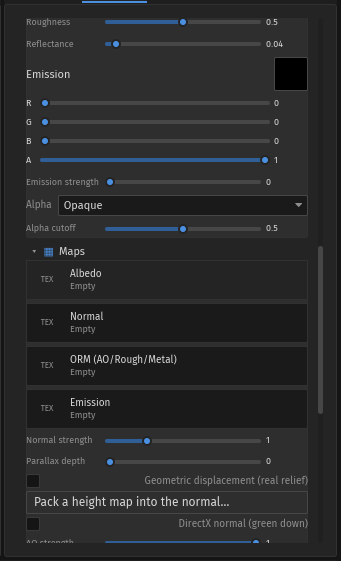
| Section | Fields |
|---|---|
| Surface | Albedo (RGBA), metallic, roughness, reflectance, emission colour and strength. |
| Maps | Albedo, normal, ORM and emission map slots with asset pickers, normal strength, AO strength and DirectX normal convention. |
| UV | Tiling, offset and object-scale UVs (a mesh scaled 2× keeps texture density). |
| Advanced | Alpha mode and cutoff, transmission and IOR, clearcoat and roughness, sheen colour and roughness, iridescence strength/thickness/IOR, reflection controls and parallax/displacement. |
| Baker | Normal/AO/roughness/metallic/ORM bakes, Unity packings, resolution and strength. |
Height is read from the alpha channel of the normal map. heightScale enables
parallax occlusion; displacementMode = 1 switches to geometric displacement with
mesh subdivision, so the silhouette changes and relief casts real shadows.
Preview#
The preview sphere uses the same scene_lit shader as the viewport. Controls in the
panel choose the shape, environment, exposure, light generation and sun
yaw/elevation/intensity. TAA, probes and auto-exposure request extra frames until the
image converges.
.mat.Material Generator#
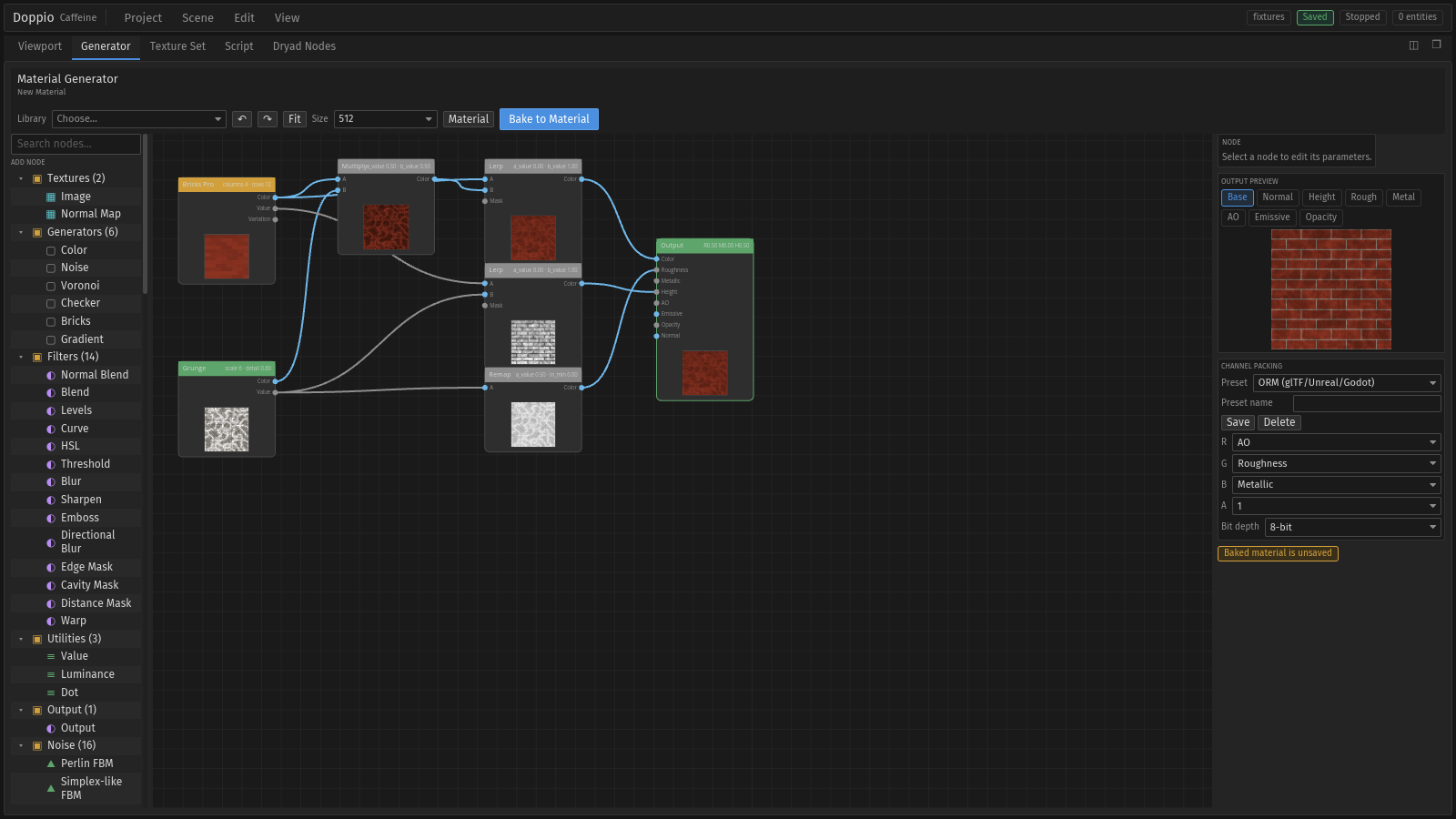
The Material Generator tab shares the centre pane with the viewport. It is a node graph over image, noise, pattern, filter, blend and output nodes, with a live preview, channel views (base, normal, height, roughness, AO, emissive, opacity, metal) and channel packing for ORM and Unity layouts. Bake to Material writes the selected maps into the open material.
See the material pipeline and materials guide.
File format#
| File | Purpose |
|---|---|
MaterialTypes.hpp |
MaterialSurface, MaterialAlphaMode, defaults and validation. |
MaterialFile.cpp |
CAFMAT3 read/write and sanitizeMaterialSurface. |
MaterialPresets.hpp |
Named presets (mirror, chrome, gold, glass…). |
MaterialPreviewRenderer.cpp |
Offscreen preview world, lights and readback. |