Scene viewport
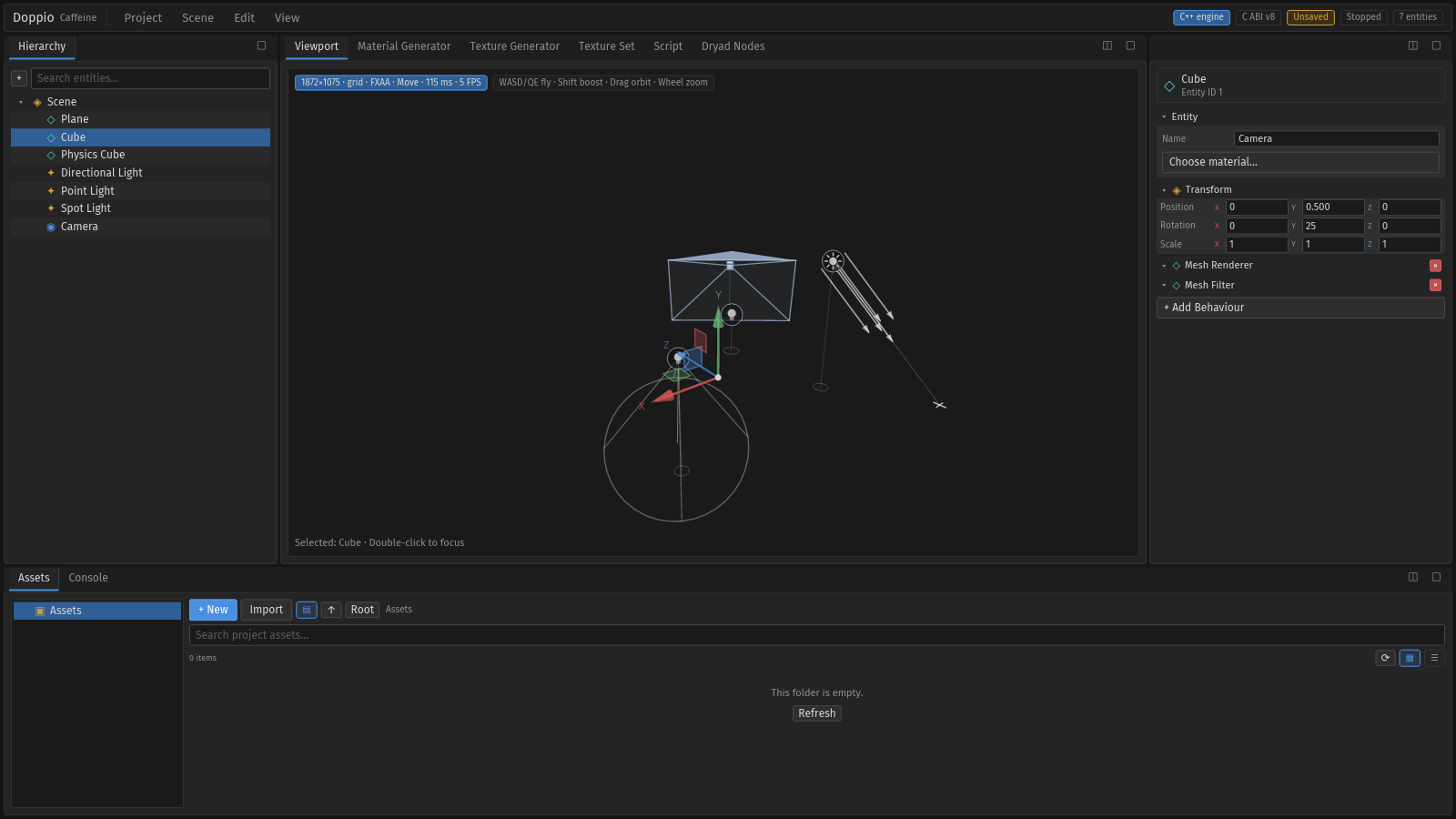
The viewport is a GPU render owned by the engine, read back into the Rust editor and composited under the gizmo, markers and HUD. It never blocks the UI thread.
Frame pipeline#
- The pane reports its logical size. The editor keeps a desired render size in physical pixels and requests a frame at most every 16 ms.
caffeine_session_render_begin(width, height)starts an offscreen engine render.- The 16 ms
ViewportTickpollscaffeine_session_render_pollinto a reusable RGBA buffer. States arePending,Ready,IdleandFailed. - On
Ready, the pixels are uploaded to an Iced/wgpu texture throughuikit/components/viewport_shader.rs. A content hash skips identical frames, so a static scene does not re-upload every tick. - The editor draws the toolbar, HUD, gizmo and scene markers over the frame. Those overlays project with the same camera that produced the image.
Warning. SDL_GPU does not expose a native texture handle through the public API. A shared wgpu texture is therefore not possible without a renderer change (wgpu backend, SDL patch or a separate window). The readback path is the supported one; do not describe it as zero-copy.
Quality settings#
| Setting | Values | Notes |
|---|---|---|
| Anti-aliasing | Off, FXAA, TAA | FXAA is the default; TAA accumulates across frames and needs camera stability. |
| Render scale | 0.5 … 2.0 | Internal supersampling; default 1.5. The UI stays at logical resolution. |
| Grid | on / off | G or View → Show/Hide Grid. |
| Scene markers | on / off | View → Show/Hide Scene Markers. |
| Gizmo | Move / Rotate / Scale | 1, 2, 3 or View → Move/Rotate/Scale Tool. |
The HUD reports resolution, grid, gizmo mode, view model, FPS and render latency.
Ctrl+R forces a frame; Ctrl+0 resets the camera.
Camera#
| Input | Action |
|---|---|
| Drag | Orbit around the focus point |
| Right or middle drag | Pan the focus |
| Wheel | Zoom (exponential) |
W A S D |
Fly horizontally |
Q / E |
Fly down / up |
Shift |
Fly boost |
F or double-click |
Focus the selection |
Ctrl+0 |
Reset the camera |
The camera state lives in windows/main.rs; viewport_surface only converts pointer
and wheel events into camera messages. That separation keeps the camera maths out of
the widget and makes it testable.
Selection and picking#
A click uses a ray from the cursor through the camera. If the ray hits a gizmo handle, the gizmo consumes it; otherwise a scene marker takes it; otherwise the engine picks the mesh. The result updates the selection and the Inspector. Picking uses the world transform resolved through the parent chain, so children of moved groups select correctly.
Empty state and fixtures#
When no engine session is available, the viewport shows Waiting for the engine
viewport…. This is expected in the entities and empty headless fixtures. The
scene3d fixture starts a real engine session with lights, a camera and meshes, and
is the fixture used by the gizmo/marker capture flows.
Related pages#
- Viewport toolbar — icon toolbar and projections.
- Gizmos and markers
- Materials guide
- Performance