VC&M — Volumetric Clouds & Mist
Legacy host. The active Rust/Iced Doppio does not load C++ plugins.
These pages document the C++/ImGui plugin SDK and its host in the archived C++ editor
(doppio-archived/). The engine still builds every plugin from the submodule
so the SDK stays compile-tested.
The VC&M plugin authors volumetric clouds and ground mist through a weather model and a panel for the legacy C++ host.
VC&M is a plugin for the legacy C++/ImGui host that procedurally authors volumetric clouds and ground mist. The plugin owns the weather model and the authoring UI; the engine ray-marches the cloud layer in the sky pass.
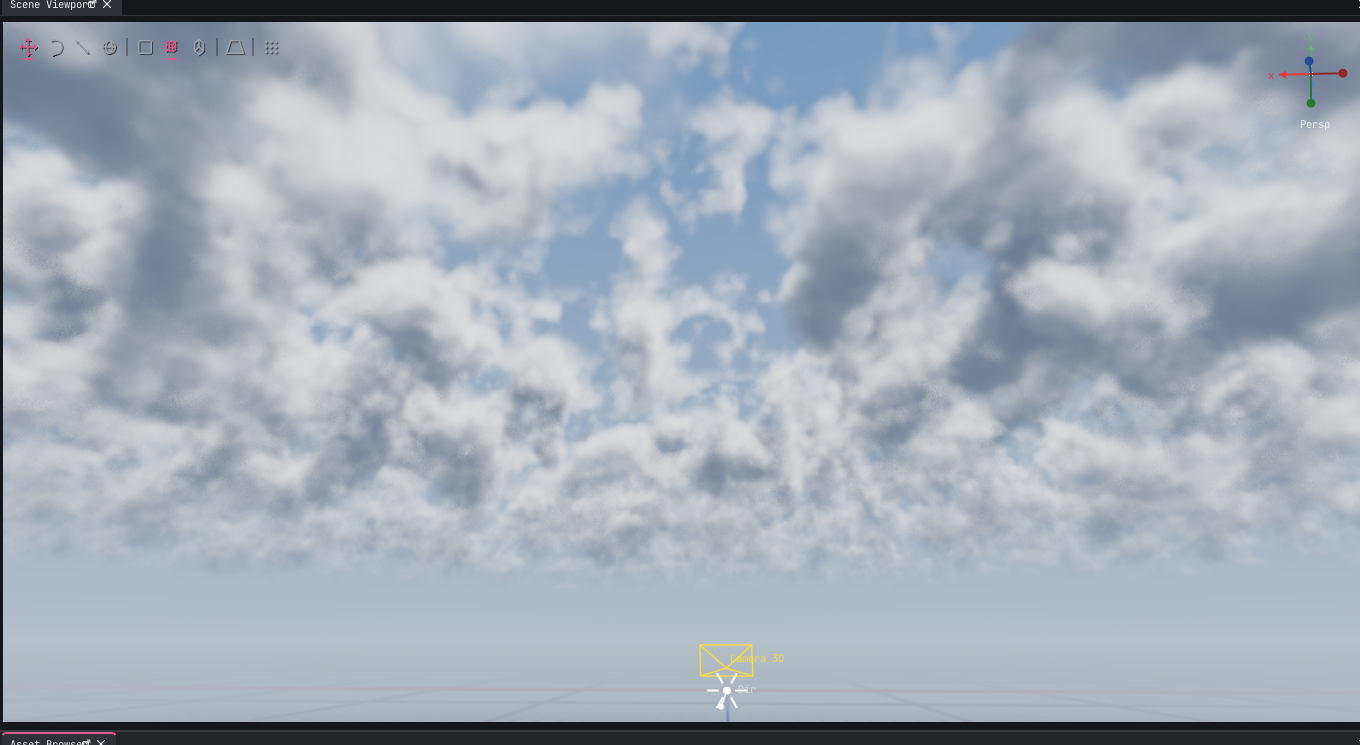
What it does#
- Generates a weather profile from humidity, instability, wind and a seed.
- Ray-marches a 3D value-noise FBM cloud layer between two altitudes.
- Marches toward the sun for self-shadowing and scattering.
- Adds ground mist that also feeds the engine's scene volumetric fog, so geometry is wrapped in the same haze.
- Provides an Inspector drawer for the
VolumetricCloudsComponent.
Presets#
| Preset | Look |
|---|---|
| Fair weather | Sparse, high, soft clouds |
| Cumulus | Puffy mid-level clouds with strong detail |
| Overcast | Dense, low, flat layer |
| Storm | Thick dark cells, high wind and detail |
| Misty morning | Low coverage with strong valley mist |
| Alpine | High base, crisp detail, light mist |
| Clear sky | Disables the layer |
How the algorithm maps weather#
| Input | Effect |
|---|---|
| Humidity | Coverage, density, lower base, thicker layer, more mist |
| Instability | Detail octaves and vertical development |
| Wind speed / direction | Drift of the procedural field |
| Seed | Shifts the 3D noise field |
| Quality | Ray-march steps: Low 8, Medium 16, High 24 |
The plugin writes a VolumetricCloudsComponent on the selected entity (or a
dedicated Volumetric Clouds entity). The engine resolves the component once per
frame and uploads it to the sky shader.
Installing#
./scripts/submodules.sh

cmake -S doppio-plugins -B doppio-plugins/build \
  -DCAFFEINE_ROOT="$PWD" \
  -DIMGUI_DIR="$PWD/build/_deps/imgui-src"
cmake --build doppio-plugins/build --target volumetric_clouds_plugin
cp doppio-plugins/build/plugins/volumetric_clouds_plugin.so build/plugins/
Enable VC&M in the legacy host's Plugins → Plugin Manager, then use Plugins → Create Volumetric Clouds & Mist (creates the component, enables it and opens the panel) or View → Volumetric Clouds & Mist.
Quick Search#
Press Ctrl+P, type clouds, and run Add Volumetric Clouds. If nothing is
selected, VC&M creates and selects an entity, adds the component with a usable
Cumulus profile and enables the layer. Run Plugins → Create Volumetric Clouds &
Mist to do the same and open the panel.
Usage#
- Select an entity, or let VC&M create a dedicated atmosphere entity.
- Pick a preset and tune humidity/instability.
- Press Generate.
- Switch the viewport to 3D and look toward the sky.
- Tune the cloud layer and mist values directly; the viewport updates live.
Performance#
High quality uses 24 ray-march steps plus 4 sun-march steps. Use Medium while editing and High for captures. The cloud pass only shades sky pixels; it is skipped for rays below the horizon.